
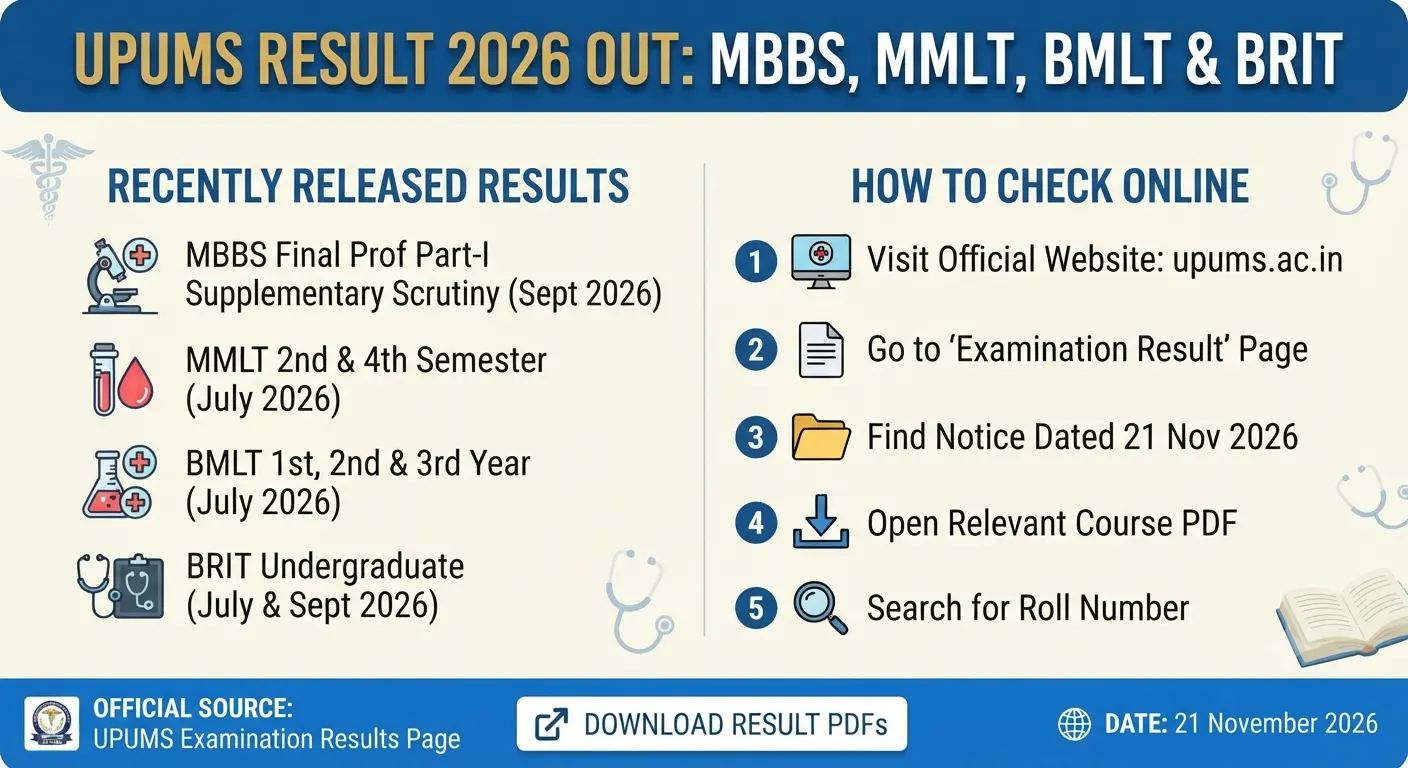
UPUMS Result 2026 has been released on the official website of Uttar Pradesh University of Medical Sciences (UPUMS). The university published the latest examination results on 21 November 2026. These results include the MBBS Final Professional Part-I Supplementary Examination (September 2026) Scrutiny Result for the Faculty of Medicine, Session 2026–27.
Table of ContentsQuickly navigate to the information you need
UPUMS has also uploaded result summaries for several courses under the Faculty of Allied and Healthcare Sciences. These include MMLT 2nd and 4th Semester, BMLT 1st, 2nd and 3rd Year, and BRIT undergraduate examinations.
You can check your result by opening the relevant PDF from the university’s official examination result page. All four result notices are available in PDF format. This article provides the course details, direct result links, important dates and steps to check the UPUMS Result 2026.
UPUMS Result 2026: Overview
The following table gives you the main details about the latest UPUMS results. It includes the release date, courses, faculties and result format.
| Particulars | Details |
|---|---|
| University | Uttar Pradesh University of Medical Sciences (UPUMS) |
| Update | Examination results released |
| Result Release Date | 21 November 2026 |
| Courses | MBBS, MMLT, BMLT and BRIT |
| Faculties | Faculty of Medicine and Faculty of Allied and Healthcare Sciences |
| Result Format | |
| Official Result Page | UPUMS Examination Result |
Which UPUMS Results Were Released on 21 November 2026?
UPUMS has published four new result notices dated 21 November 2026. One result is for the MBBS Final Professional Part-I Supplementary Examination scrutiny, while the other three are result summaries for MMLT, BMLT and BRIT courses.
You can check the details and open the correct PDF using the links below.
| Course and Examination | Faculty | Release Date | Result Link |
|---|---|---|---|
| MBBS Final Professional Part-I Supplementary Examination (September 2026) Scrutiny Results, Session 2026–27 | Faculty of Medicine | 21/11/2026 | Download MBBS Scrutiny Result PDF |
| MMLT 2nd and 4th Semester Main/Carry Over Examinations, July 2026 | Faculty of Allied and Healthcare Sciences | 21/11/2026 | Download MMLT Result Summary PDF |
| BMLT 1st, 2nd and 3rd Year Main/Carry Over Examinations, July 2026 | Faculty of Allied and Healthcare Sciences | 21/11/2026 | Download BMLT Result Summary PDF |
| BRIT Undergraduate Main/Carry Over Examinations, July and September 2026 | Faculty of Allied and Healthcare Sciences | 21/11/2026 | Download BRIT Result Summary PDF |
Important Dates for UPUMS Result 2026
The university released all four result notices on 21 November 2026. However, the examinations mentioned in these notices were held in different months.
Here are the important dates and examination periods:
| Event | Date or Examination Period |
|---|---|
| UPUMS Result 2026 release date | 21 November 2026 |
| MBBS Final Professional Part-I Supplementary Examination | September 2026 |
| MMLT Main/Carry Over Examinations | July 2026 |
| BMLT Main/Carry Over Examinations | July 2026 |
| BRIT Main/Carry Over Examinations | July and September 2026 |
Details of the MBBS Final Professional Part-I Scrutiny Result
UPUMS has released the scrutiny result for the MBBS Final Professional Part-I Supplementary Examination held in September 2026. This result is for the Faculty of Medicine under Session 2026–27.
Scrutiny generally means that an answer script is checked again for specific issues. These may include mistakes in mark calculation or answers that were not checked. However, the result notice does not explain the exact scrutiny rules followed by UPUMS.
If you appeared in this examination and applied for scrutiny, open the official PDF and check your result. You should also read any instructions mentioned in the document.
Check MBBS Final Professional Part-I Scrutiny Result
MMLT, BMLT and BRIT Result Summaries
Apart from the MBBS scrutiny result, UPUMS has uploaded three result summaries for courses under the Faculty of Allied and Healthcare Sciences. These results are related to Main and Carry Over examinations.
The MMLT result covers the 2nd and 4th Semester examinations held in July 2026. The BMLT result includes the 1st, 2nd and 3rd Year examinations from July 2026. The BRIT result covers undergraduate Main and Carry Over examinations held in July and September 2026.
You can open the PDF for your course and check the result details available in it.
MMLT 2nd and 4th Semester Result 2026
The MMLT result summary is for the 2nd and 4th Semester Main/Carry Over Examinations held in July 2026. The university published this PDF on 21 November 2026.
Download MMLT 2nd and 4th Semester Result PDF
BMLT 1st, 2nd and 3rd Year Result 2026
The BMLT result summary covers the 1st, 2nd and 3rd Year Main/Carry Over Examinations held in July 2026. Students from these years can open the official PDF to check their result details.
Download BMLT 1st, 2nd and 3rd Year Result PDF
BRIT Undergraduate Result 2026
UPUMS has also released the BRIT undergraduate result summary. It covers the Main/Carry Over Examinations held in July and September 2026.
Students who appeared in these examinations can open the PDF and check the information given in the result document.
Download BRIT Undergraduate Result PDF
Courses Included in the Latest UPUMS Result 2026
The latest UPUMS Result 2026 update includes the following courses and examinations:
- MBBS Final Professional Part-I: Supplementary Examination held in September 2026. The university has released the scrutiny result.
- MMLT: 2nd and 4th Semester Main/Carry Over Examinations held in July 2026.
- BMLT: 1st, 2nd and 3rd Year Main/Carry Over Examinations held in July 2026.
- BRIT: Undergraduate Main/Carry Over Examinations held in July and September 2026.
Make sure you select the PDF for your own course, semester or year before checking the result.
How to Check UPUMS Result 2026 Online
You can check the UPUMS Result 2026 through the university’s official website. The university has uploaded the results as PDF files, so you can open the relevant document directly.
Follow these steps:
- Visit the official UPUMS Examination Result Page.
- Find the result notice for your course.
- Check whether the notice date is 21 November 2026.
- Select the correct result link for MBBS, MMLT, BMLT or BRIT.
- Open the PDF file.
- Search for your roll number or name, depending on the details available in the PDF.
- Check your result carefully.
- Download or save the PDF for future use.
Details Needed to Check UPUMS Result 2026
The university has published these results as PDF files. The result notices do not mention any login process for opening them.
You should keep your roll number, enrolment details and admit card ready. These details can help you find your entry in the PDF quickly.
Important Instructions for Students
After checking the UPUMS Result 2026, you should follow a few important steps.
- Read the complete result PDF before making any decision about your result.
- Check your name, roll number and course details carefully.
- Make sure you have opened the correct semester or year result.
- If you find any mistake in your details or result, contact the university’s examination section through official channels.
- Always use the official UPUMS website to check your result. Do not depend on unofficial links or files.
- The latest result listing does not provide details about marksheets, further application windows or related deadlines. Check the university website for any new notice about these matters.
What Should You Do After Checking Your Result?
Once you have checked your UPUMS Result 2026, save a copy of the relevant PDF for your records. You can also keep a printout if you need it later.
If you have checked the MBBS scrutiny result but cannot understand the details, contact the university’s examination section for help. Students from MMLT, BMLT and BRIT should also read their respective result summaries carefully.
Keep visiting the official UPUMS website for updates about marksheets, supplementary examinations and other examination-related notices.
UPUMS Result 2026: Important Links
You can use the following official links to check the latest UPUMS results and visit the university website.
| Purpose | Official Link |
|---|---|
| UPUMS Result 2026 | Check Examination Results |
| UPUMS Official Website | Visit UPUMS Website |
The UPUMS Result 2026 for MBBS Final Professional Part-I Supplementary Scrutiny, MMLT, BMLT and BRIT was published on 21 November 2026. Visit the official examination result page and open the PDF for your course to check your result.
Source: Official UPUMS Examination Result Page
Also Check Out:- Calicut University PG Revaluation Result 2026 Out
FAQs
1. When was the UPUMS Result 2026 released?
UPUMS released the latest examination results on 21 November 2026. The update includes the MBBS Final Professional Part-I Supplementary Examination (September 2026) Scrutiny Result for Session 2026–27. It also includes result summaries for MMLT, BMLT and BRIT courses.
2. Which courses are included in the latest UPUMS Result 2026?
The latest results cover four examination groups. These are MBBS Final Professional Part-I Supplementary Scrutiny, MMLT 2nd and 4th Semester, BMLT 1st, 2nd and 3rd Year, and BRIT undergraduate examinations. The MMLT and BMLT examinations were held in July 2026, while the BRIT examinations were held in July and September 2026.
3. How can you check the UPUMS Result 2026 online?
Visit the official UPUMS examination result page at https://www.upums.ac.in/examinationresult. Find your course and open the relevant result PDF. Search for your roll number or name, depending on the PDF format. You can then download or save the file for future use.
4. Is the UPUMS Result 2026 available as a PDF? What details should you keep ready?
Yes. All the latest results are available as PDF files on the official UPUMS website. No separate login process is mentioned in the result notices. Keep your roll number, enrolment details and admit card ready so that you can find your result easily. Check your name, roll number and course details carefully after opening the PDF.
