
The CAT 2026 Admit Card Correction process is important if you find a mistake in your hall ticket. After downloading your admit card, check your name, date of birth, photograph, signature, CAT User ID and examination centre details. Even a small mistake should be reported to the examination authorities as soon as possible.
Table of ContentsQuickly navigate to the information you need
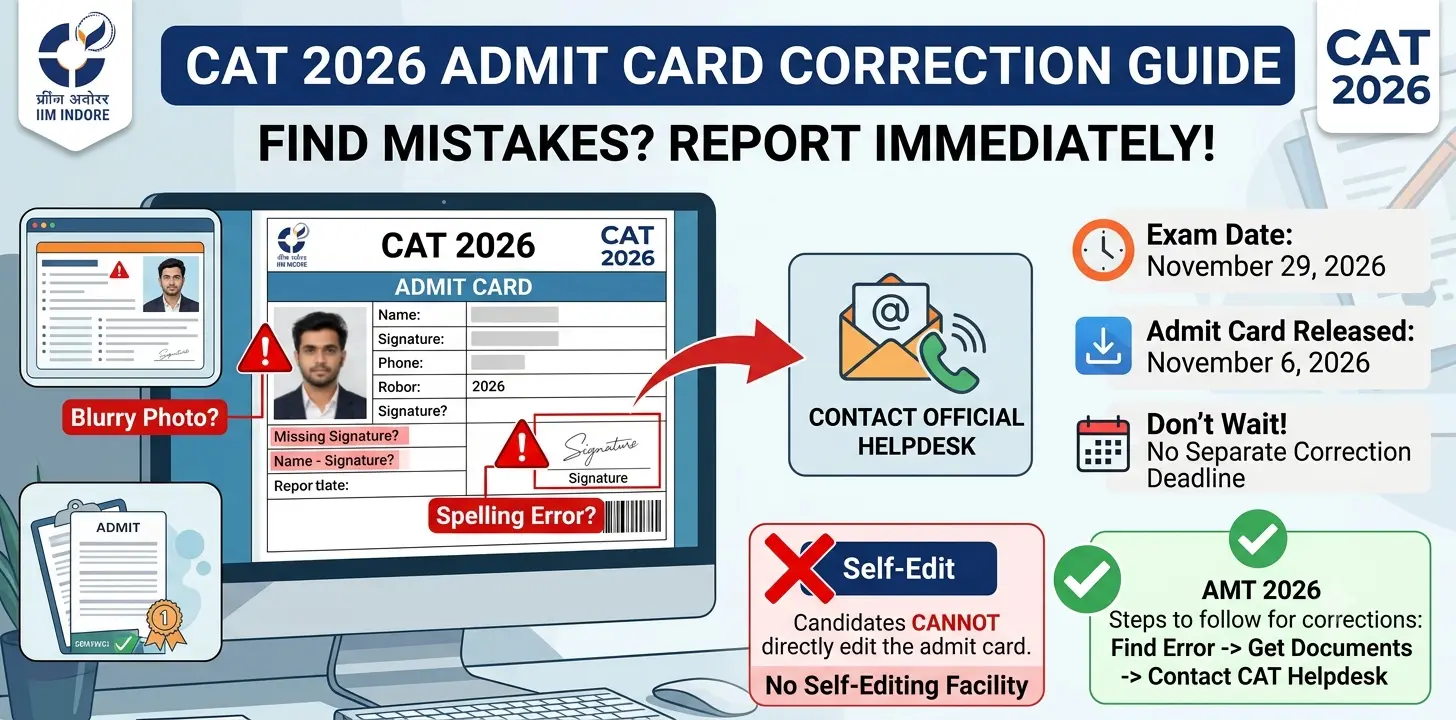
IIM Indore is conducting the Common Admission Test (CAT) 2026 on November 29, 2026. The admit card was released on November 6, 2026. Candidates cannot directly edit the downloaded admit card through their login accounts. If you find an incorrect name, blurred photograph, missing signature or any other error, you should contact the official CAT helpdesk through the contact details available on iimcat.ac.in.
Remember that the examination date and the last date for downloading the admit card are not automatically a separate correction deadline. You should report any error immediately instead of waiting until the examination day.
CAT 2026 Admit Card Correction: Important Details
Before contacting the helpdesk, check the important details about the CAT 2026 examination and admit card.
| Particulars | Details |
|---|---|
| Examination Name | Common Admission Test (CAT) 2026 |
| Conducting Institute | IIM Indore |
| Admit Card Release Date | November 6, 2026 |
| Examination Date | November 29, 2026 |
| Examination Mode | Computer-Based Test |
| Admit Card Download Mode | Online |
| Correction Method | Contact the official CAT helpdesk |
| Self-Editing Facility | Not available after admit card generation |
| Official Website | https://iimcat.ac.in/ |
The table gives the main examination dates and admit card details. Candidates can download their hall tickets online. However, they cannot change the details themselves after the admit card has been generated. If you find an error, contact the examination authorities for guidance.
The admit card download facility is available until November 29, 2026. This is the examination date as well. It should not be treated as a separate correction deadline. CAT 2026 Admit Card Correction.
Common Mistakes to Check on the CAT 2026 Admit Card
After downloading your hall ticket, check every detail carefully. Do not ignore a mistake just because it looks small. Incorrect information may create problems during identity verification at the examination centre.
The following table lists common errors and the action you should take.
| Error Type | What You Should Check | What You Should Do |
|---|---|---|
| Name Spelling Error | Missing letters, incorrect spelling or a mismatch with your ID proof | Contact the helpdesk with valid identity proof |
| Photograph Error | Blurred, incorrect or missing photograph | Report the problem and keep your correct photograph ready |
| Signature Error | Missing, unclear, cropped or incorrect signature | Contact the helpdesk and explain the error |
| Date of Birth Error | Incorrect date, month or year of birth | Provide supporting identity or academic documents if requested |
| Registration Details Error | Incorrect CAT User ID or registration information | Report the mismatch with your application details |
| Category Error | Incorrect category or PwD status, if applicable | Contact the authorities with supporting documents |
| Exam Centre Error | Incorrect centre name, address or other centre details | Ask the examination authority for clarification |
You should compare the printed details with your CAT application and original documents. The examination authorities will decide whether a reported error can be corrected. Contacting the helpdesk does not guarantee that every requested change will be approved. CAT 2026 Admit Card Correction.
How to Correct Name Errors on the CAT 2026 Admit Card?
A spelling mistake in your name can cause problems during identity verification. Your name on the admit card should match the details in your application and valid identity documents.
If you find an incorrect name, follow these steps:
- Download your CAT 2026 admit card and identify the exact spelling mistake.
- Compare the printed name with the name entered in your original application form.
- Check the name on your valid identity documents.
- Keep a copy of the admit card and relevant identity proof ready.
- Contact the official CAT helpdesk using the details available on the official website.
- Mention your CAT User ID and explain the mistake clearly.
- Follow the instructions given by the examination authorities.
- If IIM Indore approves the correction and issues a revised admit card, download it and check the updated details.
Do not make handwritten changes to your name on the printed hall ticket. Only the examination authorities can guide you about an accepted correction. CAT 2026 Admit Card Correction.
How to Fix Photograph Errors on the CAT 2026 Admit Card?
Your photograph helps the examination staff identify you at the test centre. Therefore, you should check it as soon as you download the admit card.
A photograph problem may include a missing image, a blurred picture, a distorted image or a photograph that does not match the one submitted during registration.
If you notice any of these problems, take the following steps:
- Open your downloaded admit card and check the photograph carefully.
- Compare it with the photograph you uploaded during CAT registration.
- Keep a clear copy of the correct passport-size photograph ready.
- Save a copy or screenshot of the admit card showing the error.
- Contact the CAT helpdesk through the official website.
- Provide your CAT User ID and explain the photograph problem.
- Submit another photograph or supporting document only if the examination authorities ask for it.
- Follow the instructions given by the helpdesk about verification and a revised admit card.
Do not paste another photograph over the printed one unless the examination authorities specifically tell you to do so. You should also avoid changing the photograph digitally or making any other changes to the downloaded admit card. CAT 2026 Admit Card Correction.
How to Fix Signature Errors on the CAT 2026 Admit Card?
Candidates should check whether their signature is clearly visible on the hall ticket. A signature may be missing, blurred, cropped or different from the one submitted during registration.
If you find a signature error, follow these steps:
- Download the CAT 2026 admit card and check the signature section.
- Compare the printed signature with the one submitted during registration.
- Keep your original signature sample and application details ready.
- Contact the official CAT helpdesk.
- Provide your CAT User ID and explain the exact problem.
- Submit another signature image only if the authorities request it.
- Follow the instructions about further verification or a revised admit card.
Do not overwrite the printed signature or change it yourself. Wait for instructions from the examination authorities before taking any further action. CAT 2026 Admit Card Correction.
How to Report an Error in the CAT 2026 Admit Card?
Once the admit card is generated, you should contact the examination authorities if you find incorrect or missing information. Follow the steps below to report your problem.
Step 1: Find the Exact Error
Check the complete admit card. Identify whether the problem is related to your name, photograph, signature, date of birth, category, registration details or examination centre.
Write down the incorrect information and the correct details. This will help you explain the problem clearly.
Step 2: Keep Your Documents Ready
Before contacting the helpdesk, collect the details and documents that may be needed.
These include:
- CAT 2026 User ID.
- Your registered name.
- A copy of the downloaded admit card.
- Your registered email address.
- Your registered mobile number.
- Valid identity proof or other supporting documents.
- A screenshot showing the incorrect information.
Step 3: Contact the Official CAT Helpdesk
Visit iimcat.ac.in and check the contact details provided by the examination authority.
The CAT 2026 helpdesk details reported by current exam updates are: CAT 2026 Admit Card Correction.
| Contact Method | Details |
|---|---|
| Helpdesk Email | [email protected] |
| Toll-Free Helpline | 1-800-210-8720 |
| Reported Working Hours | Monday to Saturday, 9 AM to 6 PM |
| Holidays | National holidays excluded |
| Official Website | https://iimcat.ac.in/ |
Step 4: Explain the Problem Clearly
Use your registered email address to contact the helpdesk. Mention your CAT User ID and registered name.
Explain which detail is incorrect and what the correct information should be. Attach supporting documents only when required.
For example, if your name is spelt incorrectly, mention the name printed on the admit card and the correct name shown on your identity proof. CAT 2026 Admit Card Correction.
Step 5: Save Your Complaint Details
Keep a copy of the email or complaint you send. If the helpdesk provides a complaint or reference number, save it.
You should also keep the reply from the examination authorities. These records may be useful if you need to contact them again.
Step 6: Follow the Final Instructions
Follow the instructions given by the CAT helpdesk. If the authorities approve a correction and provide a revised admit card, download it from the official portal.
Check the revised document carefully before the examination. Make sure the reported mistake has been corrected. CAT 2026 Admit Card Correction.
Documents You May Need for CAT 2026 Admit Card Correction
The documents required for CAT 2026 Admit Card Correction may depend on the type of error. For example, a name-related problem may require identity proof, while a photograph-related problem may require a correct photograph. CAT 2026 Admit Card Correction.
You should keep the following documents ready for reference.
| Document | Why It May Be Needed |
|---|---|
| CAT 2026 Admit Card | To show the incorrect information |
| CAT User ID | To identify your registration |
| Aadhaar Card | To support identity verification |
| PAN Card | Additional identity proof, if applicable |
| Passport | To support name and identity verification |
| Voter ID | Additional identity proof, if applicable |
| Correct Passport-Size Photograph | To support a photograph-related complaint |
| Original Signature Sample | To support a signature-related complaint |
| Academic Certificate | To support date of birth or name verification, if required |
You do not have to send every document listed above for every type of correction. Submit only the documents requested by the official helpdesk.
Never share your CAT password, OTP or banking details with anyone claiming to provide admit card correction services. Use only the official website and verified contact details. CAT 2026 Admit Card Correction.
Can You Edit the CAT 2026 Admit Card Online?
No. Candidates cannot directly change the details printed on the CAT 2026 admit card through their login accounts after it has been generated.
You should understand the difference between the application correction window and the admit card correction process.
IIM Indore had provided a separate application edit facility during the registration process. Candidates could change only the details allowed by the examination authority during that period. The application correction window was open on October 5 and October 6, 2026. It is now closed.
After the admit cards are generated, candidates cannot use that closed window to make changes. If you find an error on your hall ticket, contact the official CAT helpdesk and follow its instructions. CAT 2026 Admit Card Correction.
Important Things to Check After Downloading the CAT 2026 Admit Card
Do not wait until the last few days to check your hall ticket. Go through the following details as soon as you download it. CAT 2026 Admit Card Correction.
- Check the spelling of your full name.
- Verify your date of birth and other personal details.
- Check whether your photograph is clear and correct.
- Make sure your signature is visible.
- Verify your CAT registration number and User ID.
- Check your category and PwD status, if applicable.
- Confirm the examination date.
- Check your allotted examination slot and reporting time.
- Read the complete examination centre address.
- Check the examination-day instructions printed on the admit card.
- Take a clear printout by following the official instructions.
- Carry the original photo identity document required by the examination guidelines.
- Do not make handwritten changes or overwrite any printed information.
- Do not assume that a helpdesk complaint automatically guarantees a correction or entry into the examination hall.
- Follow the latest instructions issued by IIM Indore.
You should also read the examination-day instructions carefully. They explain which documents you must carry and which items are not allowed inside the test centre. CAT 2026 Admit Card Correction.
What Should You Do If Your CAT 2026 Admit Card Error Is Not Corrected Before Exam Day?
Sometimes, candidates may report an error but not receive a final response before the examination. If this happens to you, contact the official helpdesk again. Ask for clear instructions before travelling to your examination centre. CAT 2026 Admit Card Correction.
Take the following steps:
- Keep a copy of your complaint email and any reply from the helpdesk.
- Carry the admit card that you originally downloaded.
- Carry your original photo identity document.
- Keep the supporting documents related to the reported error.
- Follow any additional instructions given by the examination authority.
- Reach the examination centre according to the reporting time printed on your admit card.
Do not assume that sending an email or carrying extra identity documents will automatically allow you to enter the examination hall. The final decision about identity verification and entry rests with the authorised examination officials. CAT 2026 Admit Card Correction.
Also Check Out:- UKPSC Upper PCS Admit Card 2026: Check Release Date
FAQs
1. How can I correct my name on the CAT 2026 admit card?
You cannot edit your name directly on the downloaded admit card. Contact the official CAT helpdesk and provide your CAT User ID, a copy of the admit card and valid identity proof showing your correct name. Follow the instructions given by the examination authorities. CAT 2026 Admit Card Correction.
2. Can I change my photograph or signature after downloading the CAT 2026 admit card?
You cannot directly replace the photograph or signature through the candidate login after the admit card has been generated. Report the error to the CAT helpdesk. Submit a new photograph or signature image only if the authorities request it. CAT 2026 Admit Card Correction.
3. What is the CAT 2026 admit card correction helpdesk email ID?
The reported CAT 2026 helpdesk email address is [email protected]. You should verify the latest contact details on the official website, iimcat.ac.in, before sending your complaint. CAT 2026 Admit Card Correction.
4. Can I appear for CAT 2026 if my admit card has an incorrect photograph or signature?
You should report the problem to the CAT helpdesk immediately and ask for instructions. Do not assume that the error will be accepted at the examination centre. Carry your admit card and original identity proof, and follow the directions given by the examination authorities. CAT 2026 Admit Card Correction.
