
MLSU Result 2026 has been declared for several undergraduate and postgraduate courses on 25 November 2026. Mohanlal Sukhadia University (MLSU) has released results for the Post Graduate Diploma in Guidance & Counselling, M.A. Political Science NEP IV Semester, M.A. English (NC) NEP IV Semester, MBA NEP II Semester and MBA FSM NEP II Semester.
Table of ContentsQuickly navigate to the information you need
The university has also published four B.A. (CBCS) NEP revaluation results. These include the II and IV Semester results for both regular and NC categories.
If you appeared for any of these examinations, you can check your MLSU Result 2026 online through the official result portal. Select your course and semester carefully before opening the result. This article covers the results declared on 25 November 2026, the steps to check your marks and the important instructions for students.
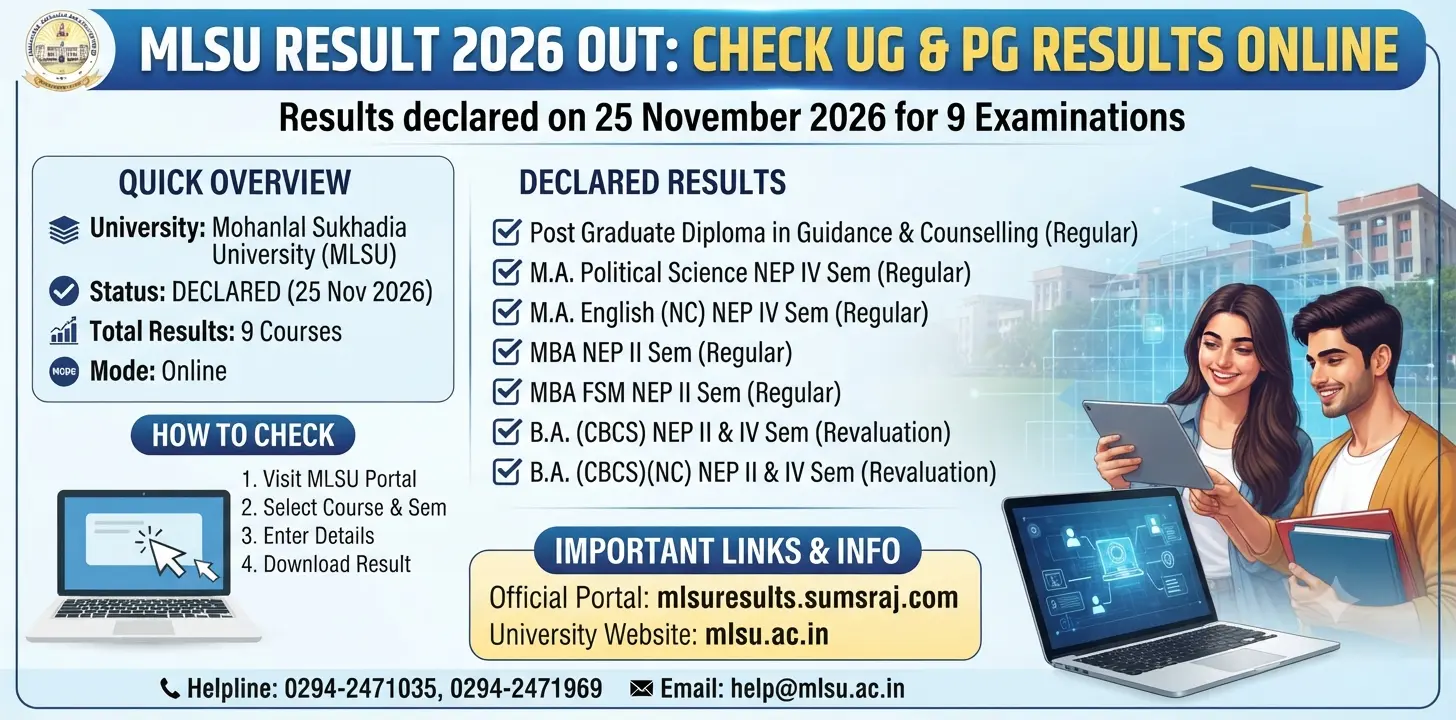
MLSU Result 2026: Quick Overview
The table below gives the main details of the result announcement.
| Particulars | Details |
|---|---|
| University | Mohanlal Sukhadia University (MLSU) |
| Result status | Declared |
| Result declaration date | 25 November 2026 |
| Total results listed | 9 |
| Result mode | Online |
| Courses | UG, PG and Diploma |
| Official result portal | MLSU Results Portal |
| Official website | mlsu.ac.in |
MLSU provides a separate online portal for undergraduate, postgraduate, semester and other examination results. You can use this portal to find the result for your course. mlsuresults.sumsraj.com+1
MLSU Results Declared on 25 November 2026
MLSU has listed nine examination results on 25 November 2026. Five are regular examination results. The other four are B.A. revaluation results.
Check the table below to find your course, semester and result type.
| Examination | Result Type | Declaration Date |
|---|---|---|
| Post Graduate Diploma in Guidance & Counselling | Regular | 25/11/2026 |
| M.A. Political Science NEP IV Sem | Regular | 25/11/2026 |
| M.A. English (NC) NEP IV Sem | Regular | 25/11/2026 |
| MBA NEP II Sem | Regular | 25/11/2026 |
| MBA FSM NEP II Sem | Regular | 25/11/2026 |
| B.A. (CBCS) NEP II Sem | Revaluation (REVAL) | 25/11/2026 |
| B.A. (CBCS) NEP IV Sem | Revaluation (REVAL) | 25/11/2026 |
| B.A. (CBCS)(NC) NEP II Sem | Revaluation (REVAL) | 25/11/2026 |
| B.A. (CBCS)(NC) NEP IV Sem | Revaluation (REVAL) | 25/11/2026 |
All nine results in the list have the same declaration date. The first five are regular results for diploma, M.A. and MBA courses. The remaining four are for B.A. (CBCS) students who appeared for revaluation.
You can check your result through the official MLSU Results Portal.
MLSU Result 2026: Important Date
MLSU declared all nine results listed above on the same day.
| Event | Date |
|---|---|
| Result declaration for all nine examinations | 25 November 2026 |
No separate result dates are mentioned for these examinations.
How to Check MLSU Result 2026 Online
You can check your MLSU Result 2026 through the university’s official result portal. Follow these steps:
- Visit the official MLSU Results Portal.
- Find the result section for your examination.
- Select the correct course and semester.
- Choose the regular or revaluation result, depending on your examination.
- Open the result link.
- Enter the details requested by the portal.
- Submit the information to view your result.
- Download or print your result for future use.
The portal may ask for different details depending on your course and examination. Follow the instructions shown on the result page. mlsuresults.sumsraj.com
Details You Should Keep Ready Before Checking MLSU Result 2026
The official result list does not specify the exact login details required for every course. So, keep your admit card and enrolment information ready before opening the result.
You should also check the following details:
- Your correct course name.
- Your semester.
- Your examination type.
- Whether you are checking a regular or revaluation result.
Make sure you select the correct examination. This will help you avoid opening the wrong result.
MLSU B.A. Revaluation Result 2026
MLSU has also declared four B.A. (CBCS) NEP revaluation results on 25 November 2026.
The results include both II Semester and IV Semester examinations. Students from the NC category can also check their results.
The four declared revaluation results are:
- B.A. (CBCS) NEP II Semester (REVAL)
- B.A. (CBCS) NEP IV Semester (REVAL)
- B.A. (CBCS)(NC) NEP II Semester (REVAL)
- B.A. (CBCS)(NC) NEP IV Semester (REVAL)
If you applied for revaluation in any of these examinations, visit the official MLSU Revaluation Result Page to check your result.
Important Instructions for Students
After checking your MLSU Result 2026, read your result carefully. Follow these instructions:
- Check your name and other details carefully.
- Make sure your course and semester are correct.
- Check the marks and result status shown on the portal.
- If you find any mistake, contact your college or the university examination section.
- Save or print a copy of your online result for future use.
- Collect your official marksheet from your college or university as per the rules.
The online result is for information. You should collect the official marksheet separately by following your college or university’s instructions.
What to Do If You Cannot Check Your MLSU Result?
Sometimes, the result portal may not open because many students are checking their results at the same time. If this happens, wait for some time and try again.
You can also contact the university if you face a problem with your result.
MLSU has provided the following contact details for result-related queries:
- Helpline numbers: 0294-2471035 and 0294-2471969
- Email: [email protected]
- Contact time: 10 AM to 5 PM on working days
You can use these contact details if you need help with your examination result. mlsuresults.sumsraj.com
MLSU Result 2026: Important Official Links
Use the following official links to check your result and visit the university website.
| Purpose | Official Link |
|---|---|
| Check MLSU Result 2026 | MLSU Results Portal |
| Check B.A. Revaluation Result | Revaluation Result Page |
| University website | mlsu.ac.in |
| Examination and results information | MLSU Examination and Results |
The university’s official website also provides information about UG and PG results, revaluation results, examination notices and other student services.
Final Words
MLSU Result 2026 has been declared for nine examinations on 25 November 2026. The results include five regular examination results and four B.A. (CBCS) NEP revaluation results.
If you appeared for any of these examinations, visit the official MLSU Results Portal and select your correct course and semester. Check all the details carefully and save a copy of your result for future use.
Also Check Out:- Kerala PSC Admit Card 2026 Out – Download Admission Ticket at keralapsc.gov.in
FAQs
1. When was MLSU Result 2026 declared?
Mohanlal Sukhadia University declared nine examination results on 25 November 2026. These include regular results for the Post Graduate Diploma in Guidance & Counselling, M.A. Political Science NEP IV Semester, M.A. English (NC) NEP IV Semester, MBA NEP II Semester and MBA FSM NEP II Semester. Four B.A. (CBCS) NEP revaluation results were also released on the same date.
2. Which courses are included in the MLSU Result 2026?
The declared results include five regular examinations and four revaluation examinations. The regular results are for the Post Graduate Diploma in Guidance & Counselling, M.A. Political Science, M.A. English (NC), MBA and MBA FSM. The revaluation results are for B.A. (CBCS) NEP II and IV Semesters, including the NC category.
3. How can I check MLSU Result 2026 online?
Visit the official MLSU Results Portal. Find your course and semester, select the correct regular or revaluation result, and open the result link. Enter the details requested by the portal and submit them. You can then view and download or print your result. Keep your admit card or enrolment details ready.
4. What should I do after checking my MLSU Result 2026?
Check your name, course, semester, marks and result status carefully. If you find any mistake, contact your college or the university examination section. Save or print your online result for future use. Remember that the online result is for information. Collect your official marksheet from your college or university as per its rules.
