
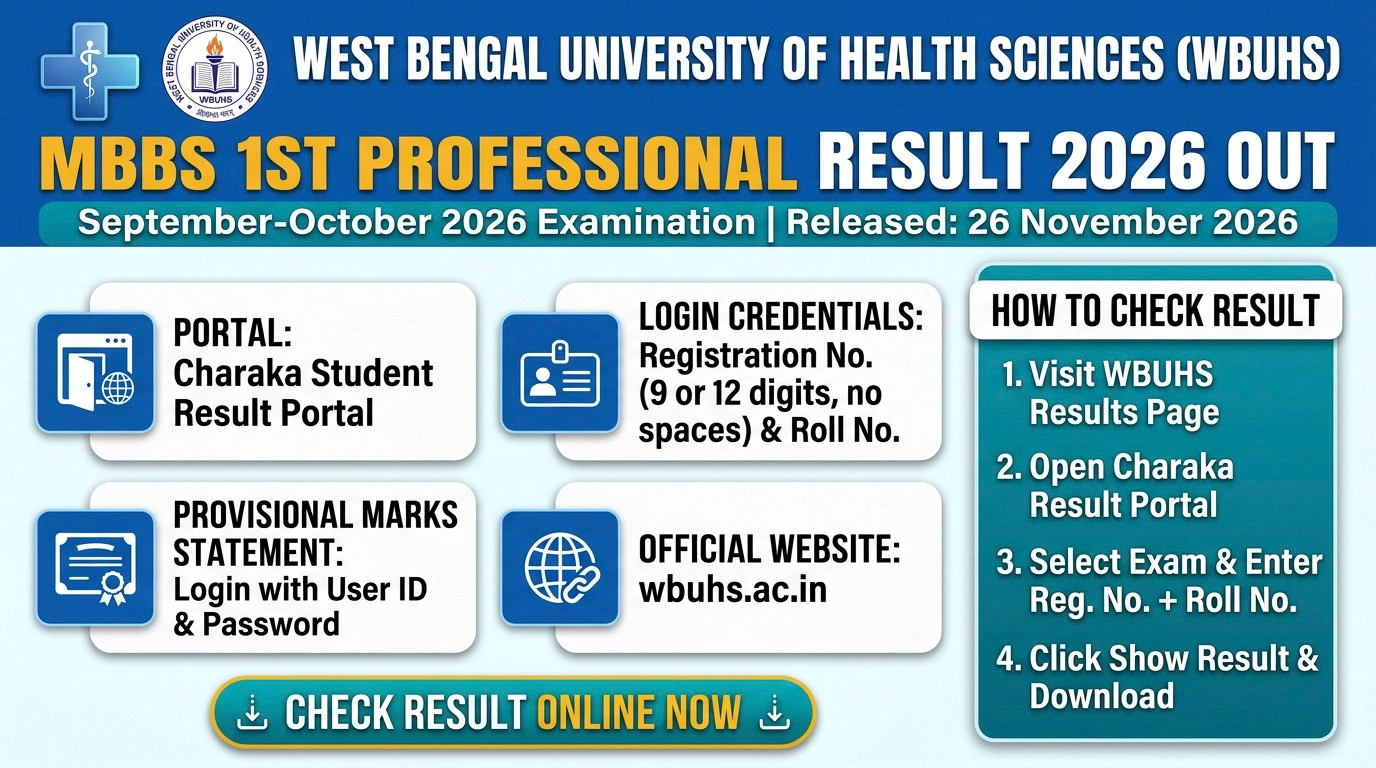
The WBUHS MBBS Result 2026 has been released for the MBBS 1st Professional September-October 2026 Examination. The West Bengal University of Health Sciences (WBUHS) published the result on 26 November 2026. Students can now check their results through the university’s official Charaka student result portal.
Table of ContentsQuickly navigate to the information you need
If you appeared for the 1st Professional MBBS examination, you can check your result online using your registration number and roll number. The university has listed the result on its official Examination Results page. You can also download your provisional marks statement by logging in with your User ID and password.
Read below to find the direct result link, login steps and important instructions for checking your WBUHS MBBS Result 2026.
WBUHS MBBS Result 2026: Overview
The West Bengal University of Health Sciences has published the result for the September-October 2026 MBBS 1st Professional examination. The table below gives the main details of this result.
| Particulars | Details |
|---|---|
| University | West Bengal University of Health Sciences (WBUHS) |
| Examination | MBBS 1st Professional |
| Examination Session | September-October 2026 |
| Result Name | Result of MBBS 1st Professional September-October 2026 Examination |
| Result Publication Date | 26 November 2026 |
| Result Status | Released |
| Result Mode | Online |
| Result Listing | WBUHS Examination Results Page |
| Result Portal | Charaka Student Result Portal |
| Official Website | wbuhs.ac.in |
The university’s official website lists the MBBS 1st Professional September-October 2026 result with the publication date of 26 November 2026. WBUHS
WBUHS MBBS Result 2026: Important Date
Students should check the following date before visiting the result portal.
| Event | Date |
|---|---|
| MBBS 1st Professional Result Published | 26 November 2026 |
The result is available through the official WBUHS result page. You can check it online using your examination details.
WBUHS MBBS Result 2026 Direct Link
WBUHS has provided the result link through its official Examination Results page. The link opens the Charaka student result portal.
You can use the following links to check your result and visit the university website.
| Particulars | Official Link |
|---|---|
| WBUHS MBBS Result 2026 | Check Result Online |
| WBUHS Examination Results | Open Results Page |
| WBUHS Official Website | Visit Website |
How to Check WBUHS MBBS 1st Professional Result 2026
You can check your WBUHS MBBS Result 2026 through the Charaka student result portal. Follow these steps:
- Visit the official WBUHS Examination Results page.
- Find the result titled “Result of MBBS 1st Professional September-October, 2026 Examination”.
- Check the publication date, which is 26 November 2026.
- Click the result link.
- You will reach the Charaka student result portal.
- Select your examination from the Select Exam option.
- Enter your registration number.
- Enter your roll number.
- Click on the Show Result button.
- Your result status will appear on the screen.
- Check your details and save or print the result for future use.
The portal asks for your examination, registration number and roll number. Your registration number must contain 9 or 12 digits. Do not use spaces or special characters while entering it. charaka.wbuhs.ac.in
How to Download the WBUHS Provisional Marks Statement
The Charaka portal also provides a facility to download the provisional marks statement. However, you must log in using your User ID and password to use this facility.
Follow these steps:
- Open the Charaka Student Result Portal.
- Log in using your User ID and password.
- Follow the available instructions to access your provisional marks statement.
- Download and save the statement if it is available for your examination.
The portal also allows the college authority to view and download the results of its students using the college’s User ID and password. charaka.wbuhs.ac.in
WBUHS MBBS Result 2026: Registration Number Instructions
You should enter your registration number correctly while checking your result. The university portal accepts a 9-digit or 12-digit registration number.
Do not add spaces or special characters. The portal gives an example: if your registration number is written as “3590 of 2015-2016”, enter it as 359020152016.
Check your registration number before clicking the Show Result button. Incorrect details may stop you from viewing your result. charaka.wbuhs.ac.in
Details Available on the WBUHS Result Portal
After you open your result, the Charaka portal can display the following information:
- Examination name
- Memo number
- Memo date
- Publication date
- Student name
- Registration number
- Roll number
- College name
- Result status
- Final remarks
Check these details carefully after viewing your WBUHS MBBS Result 2026. If you find any mistake or have a question about your result, contact your college or the WBUHS examination section. charaka.wbuhs.ac.in
What to Do After Checking Your WBUHS MBBS Result 2026?
After checking your result, save a copy for your records. If the portal provides your provisional marks statement, download it using your User ID and password.
If you have any doubt about your marks, check the WBUHS Examination Results page and your college notice board for review or scrutiny instructions. The result listing mentioned here does not provide a separate review or scrutiny deadline for this examination.
For questions about your individual result, contact your college or the WBUHS examination section. Follow only the official instructions before submitting any application.
Important Instructions for Students
Keep these points in mind while checking your result:
- Use only the official WBUHS website and Charaka portal.
- Select the correct examination from the result portal.
- Enter your registration number and roll number correctly.
- Use a 9-digit or 12-digit registration number without spaces or special characters.
- Use your User ID and password to download the provisional marks statement.
- Save or print a copy of your result for future use.
- Check the university website for review or scrutiny updates.
- Contact your college or the WBUHS examination section if you face any problem.
Remember that the online result is not a replacement for the original marksheet or certificate that the university may issue later.
WBUHS MBBS Result 2026: Important Links
You can use the official links below to check your result and find further examination updates.
| Particulars | Official Link |
|---|---|
| Direct Link to WBUHS MBBS Result 2026 | Check Result Online |
| WBUHS Examination Results Page | Check Examination Results |
| WBUHS Official Website | Visit Official Website |
The WBUHS MBBS Result 2026 for the 1st Professional September-October examination was published on 26 November 2026. Visit the official Charaka portal, enter your examination details and check your result online.
Also Check Out:- UPSSSC Junior Analyst Food Result 2026 Out: Check Final Result, Cut Off and Selection List
FAQs
1. When was the WBUHS MBBS Result 2026 released?
The West Bengal University of Health Sciences published the MBBS 1st Professional September-October 2026 Examination result on 26 November 2026. You can check it through the official WBUHS Examination Results page or the Charaka student result portal.
2. How can you check the WBUHS MBBS Result 2026 online?
Visit the official WBUHS Examination Results page and find the result titled “Result of MBBS 1st Professional September-October, 2026 Examination”. Click the result link to open the Charaka portal. Select your examination, enter your registration number and roll number, and click Show Result. Your result will appear on the screen.
3. What details are required to check the WBUHS MBBS 1st Professional Result 2026?
You need your registration number and roll number. The portal accepts a 9-digit or 12-digit registration number. Enter it without spaces or special characters. Check your details carefully before submitting them.
4. How can you download the WBUHS provisional marks statement?
Open the Charaka student result portal and log in using your User ID and password. Follow the available instructions to access and download your provisional marks statement, if it is available. Keep a copy for future use. For questions about marks or review and scrutiny, check the WBUHS website or contact your college.
