
You do not need a big investment or a physical shop to start selling products online. You can create digital templates, upload them to a selling platform and earn money whenever someone buys them.
Table of ContentsQuickly navigate to the information you need
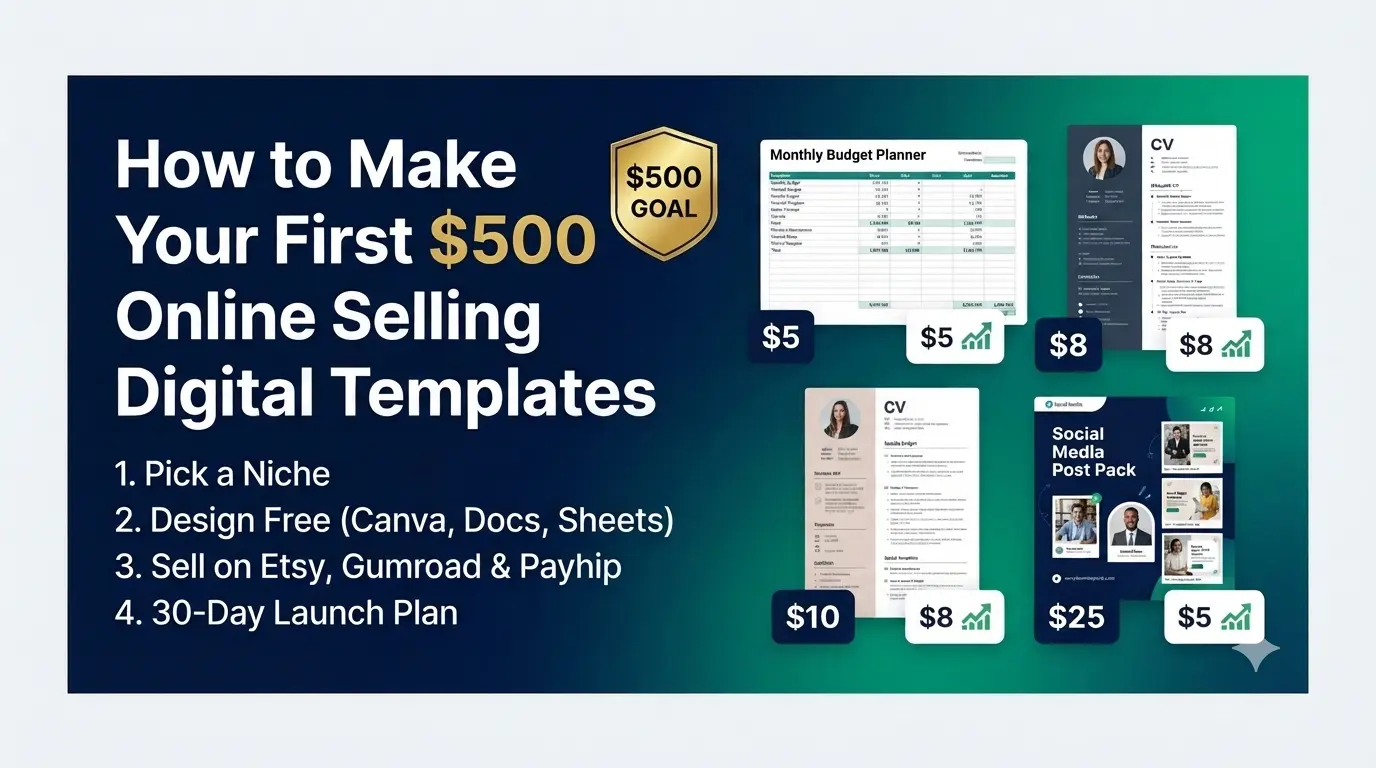
Digital templates are ready-made designs that people can edit and use. Examples include budget planners, CV templates, social media posts, business forms and study planners.
If you want to learn How to Make Your First $500 Online Selling Digital Templates, this guide will show you how to choose a product, create it, set a price and find customers. You can start with simple tools and improve your products as you learn. How to Make Your First $500 Online Selling Digital Templates.
1. Understand What Digital Templates Are
A digital template is a ready-made file that buyers can edit or reuse. You create it once and can sell copies to many customers.
For example, you can create a monthly budget planner. A buyer can download it and enter their own income and expenses.
Some popular digital templates include:
- CV and resume templates.
- Monthly and weekly planners.
- Budget and expense trackers.
- Social media post designs.
- Business invoice templates.
- Daily habit trackers.
- Study planners and class schedules.
- Presentation templates.
- Wedding invitations.
- Meal planners and fitness trackers.
Choose a product that solves a real problem. People are more likely to buy a template when it saves them time or makes a task easier. How to Make Your First $500 Online Selling Digital Templates.
2. Choose a Product People Want to Buy
Your first task is to find a useful product idea. Do not create a template just because it looks attractive. Think about what people need.
For example, job seekers may need a professional CV. Small business owners may need invoices. Students may need study planners.
You can find ideas by:
- Searching Google for popular template types.
- Checking Etsy marketplaces for similar products.
- Reading customer reviews to find common problems.
- Looking at questions people ask on social media.
- Using Google Trends to explore interest in a topic.
Check what other sellers offer, but do not copy their designs. Find a way to make your template easier to use or more useful. How to Make Your First $500 Online Selling Digital Templates.
3. Create Your First Digital Template
Once you choose a product, start designing it. You do not need expensive software. Several free tools can help you create simple digital products.
Here are some useful options:
- Canva: Create planners, CVs, invitations and social media designs.
- Google Docs: Make editable documents, checklists and worksheets.
- Google Sheets: Create budget planners and expense trackers.
- Google Slides: Design presentation templates.
- Figma: Create website layouts and other design templates.
Start with one simple product. Make sure it is easy to edit and understand.
For example, if you create a budget planner, include sections for monthly income, expenses, savings and remaining money. How to Make Your First $500 Online Selling Digital Templates.
Before selling, open your template and test every page. Check spelling, colours, links and editing options.
Important Canva Rules
You can use Canva to create and sell original designs. However, you must follow its content licence rules.
Do not download Canva elements and sell them as separate products. Make your own design and add real creative value. Some Pro elements also have special rules for templates that you sell. Read the official Canva Content Licence Agreement before selling your designs. How to Make Your First $500 Online Selling Digital Templates.
4. Set a Price for Your Templates
Your price should match the value of your product. Do not make it too expensive when you are just starting.
You can begin with simple prices such as:
| Digital Product | Example Price |
|---|---|
| Simple checklist | $3 |
| Budget planner | $5 |
| CV template | $8 |
| Social media template pack | $10 |
| Business template bundle | $15 |
| Complete planner bundle | $25 |
These are example prices, not fixed market rates. Check similar products before deciding your own price.
You can also sell several related templates together as a bundle. For example, a bundle may include a monthly planner, habit tracker and budget sheet.
A useful bundle gives buyers more value and can help you earn more from one sale. How to Make Your First $500 Online Selling Digital Templates.
5. Choose a Website to Sell Your Templates
After creating your product, you need a place where people can buy it. You can use a digital product marketplace or create your own online store.
Here are three popular options.
Etsy
Etsy Logo – PNG and Vector – Logo Download
EtsyOfficial Etsy Seller Website
Etsy is an online marketplace where people search for handmade items, creative designs and digital downloads.
You can list your original planners, CV templates, invitations and other digital products.
For sellers in India, Etsy currently lists a Rs. 19 listing fee, a 6.5% transaction fee and payment processing fees of 3%–5% plus Rs. 25. A one-time shop setup fee may also apply. Other charges, including advertising and currency conversion fees, may apply in some cases. Check the latest charges before opening your shop. How to Make Your First $500 Online Selling Digital Templates.
Gumroad
Gumroad Logo PNG Vector (SVG) Free Download
GumroadOfficial Gumroad Website
Gumroad allows you to sell digital products through your own product pages and direct links.
You can sell planners, templates, ebooks and other downloadable files.
Its published fee for direct sales is 10% plus $0.50 per transaction, along with card processing fees. Sales made through its Discover marketplace have a 30% fee. Gumroad does not charge a monthly subscription fee for its basic selling service. How to Make Your First $500 Online Selling Digital Templates.
Payhip
PayhipOfficial Payhip Website
Payhip is another option for selling digital templates. You can create a store, upload your files and allow customers to download them after payment. How to Make Your First $500 Online Selling Digital Templates.
Its current plans include:
- Free plan: $0 per month plus 5% transaction fee.
- Plus plan: $29 per month plus 2% transaction fee.
- Pro plan: $99 per month with no Payhip transaction fee.
Payment processing fees from services such as PayPal or Stripe may also apply. Payhip supports several payment gateways, but you should check which options are available for your country and account. Payhip+1
For a beginner, Payhip’s free plan is one option to consider. Compare the fees and payment methods before choosing a platform. How to Make Your First $500 Online Selling Digital Templates.
6. Prepare Your Product Page
Your product page tells buyers what they will receive. A good product page can help people understand why they should purchase your template.
Include these details:
- A clear product name.
- Good-quality preview images.
- A short product description.
- A list of included files.
- Editing instructions.
- The software required to use the template.
- The price.
- Any important usage or licence rules.
For example, if you sell a monthly budget planner, show its pages and explain how buyers can enter their income and expenses. How to Make Your First $500 Online Selling Digital Templates.
Do not use misleading images. Your product preview should match the actual file.
7. Calculate How to Reach Your First $500
Now comes the main goal. How many sales do you need to make your first $500?
Your income depends on the price of your template and the number of customers.
Here are some simple examples:
| Product Price | Sales Needed | Total Revenue |
|---|---|---|
| $5 | 100 | $500 |
| $10 | 50 | $500 |
| $20 | 25 | $500 |
| $25 | 20 | $500 |
| $50 | 10 | $500 |
For example, if you sell a template for $10, you need 50 sales to reach $500 in total revenue.
If you sell a bundle for $25, you need 20 sales.
Remember, $500 in sales does not mean $500 in profit. You must subtract platform fees, payment charges, refunds, advertising costs and any applicable taxes. How to Make Your First $500 Online Selling Digital Templates.
You do not have to reach this target in one month. Give yourself time to create good products and find customers.
8. Promote Your Digital Templates
Uploading a product does not mean people will automatically buy it. You must help potential customers find your templates.
You can use these free or low-cost methods:
- Pinterest: Share product images and useful design ideas.
- Instagram: Post template previews and short videos.
- Facebook: Share your products in relevant groups, where promotion is allowed.
- YouTube: Make simple videos showing how your templates work.
- Blog or website: Write articles related to the problems your templates solve.
- Email: Share new products and offers with people who have agreed to receive your emails.
For example, if you sell a CV template, write an article about creating a professional CV. You can show a preview of your product and add its purchase link. How to Make Your First $500 Online Selling Digital Templates.
Do not spam people with repeated links. Share useful information and let people decide whether they want to buy.
9. Make Your Products Better
After getting your first customers, ask for feedback. Find out what they liked and what was difficult to use.
You can improve your products by:
- Making instructions easier to follow.
- Adding more useful pages.
- Fixing design or spelling mistakes.
- Providing different colour options.
- Creating bundles of related products.
- Updating old templates when needed.
Good customer service can also help you build trust. Reply politely to questions and explain how buyers can use their files. How to Make Your First $500 Online Selling Digital Templates.
10. Follow a Simple 30-Day Plan
You can use the following plan to start your digital template business. Adjust the time according to your skills and available hours.
| Period | What You Should Do |
|---|---|
| Days 1–3 | Research the market and choose a product |
| Days 4–7 | Create your first template |
| Days 8–10 | Test the file and prepare product images |
| Days 11–13 | Open your selling account |
| Days 14–16 | Upload your product and set its price |
| Days 17–20 | Share it on social media |
| Days 21–25 | Create another useful template |
| Days 26–30 | Check results and improve your product pages |
Your first sale may take time. Do not stop just because you do not get customers immediately. How to Make Your First $500 Online Selling Digital Templates.
Common Mistakes You Should Avoid
Many beginners make simple mistakes when starting an online template business.
- Creating products without checking what buyers need.
- Copying designs from other sellers.
- Using copyrighted images without permission.
- Setting very high prices without offering enough value.
- Uploading products without proper preview images.
- Forgetting to provide editing instructions.
- Ignoring customer questions.
- Spending too much money on advertisements before testing a product.
- Expecting instant sales without promotion.
Start small, learn from your customers and improve your work.
Final Words
Learning How to Make Your First $500 Online Selling Digital Templates does not require a big investment or a physical shop. You can start with free design tools, create useful products and sell them through platforms such as Etsy, Gumroad or Payhip.
Choose one product that solves a real problem. Make it easy to use, set a fair price and promote it through the right channels.
Your first $500 may take time and effort. Focus on creating useful templates and building customer trust. With regular work and better products, you can gradually grow your digital product business. How to Make Your First $500 Online Selling Digital Templates.
Also Check Out:- MeitY Scientist B Recruitment 2026 Out, Apply Online for 20 Posts via GATE Score
FAQs
1. How can you make your first $500 online selling digital templates?
You can make your first $500 by creating useful digital templates and selling them online. Start with products such as CV templates, budget planners, social media designs, study planners and business documents. Choose a suitable selling platform, set a fair price and promote your products. For example, 50 sales at $10 each will give you $500 in gross revenue before fees and other costs. How to Make Your First $500 Online Selling Digital Templates.
2. Which tools can you use to create digital templates?
You can use Canva, Google Docs, Google Sheets, Google Slides and Figma to create digital templates. Some of these tools offer free plans. Choose a tool based on the type of product you want to make. Always follow the platform’s licence rules and do not resell individual design elements as standalone products. How to Make Your First $500 Online Selling Digital Templates.
3. Where can you sell digital templates online?
You can sell digital templates through platforms such as Etsy, Gumroad and Payhip. Compare their listing fees, transaction charges, payment processing fees and other costs before choosing one. These platforms allow you to list digital products and sell them to customers online. How to Make Your First $500 Online Selling Digital Templates.
4. How can you promote digital templates and get more sales?
You can promote your templates through Pinterest, Instagram, Facebook, YouTube, your website and email. Share product previews and explain how each template can help buyers. Use clear product descriptions and attractive images. Check customer feedback and improve your products to increase your chances of getting more sales. How to Make Your First $500 Online Selling Digital Templates.
