
MSDU Result 2026 is available for students of Maharaja Suhel Dev University (MSDU), Azamgarh, Uttar Pradesh. The university is also known as Azamgarh University. Students who appeared for UG or PG semester examinations can check their results online. Students who took back paper or improvement examinations can also use the university’s result services.
Table of ContentsQuickly navigate to the information you need
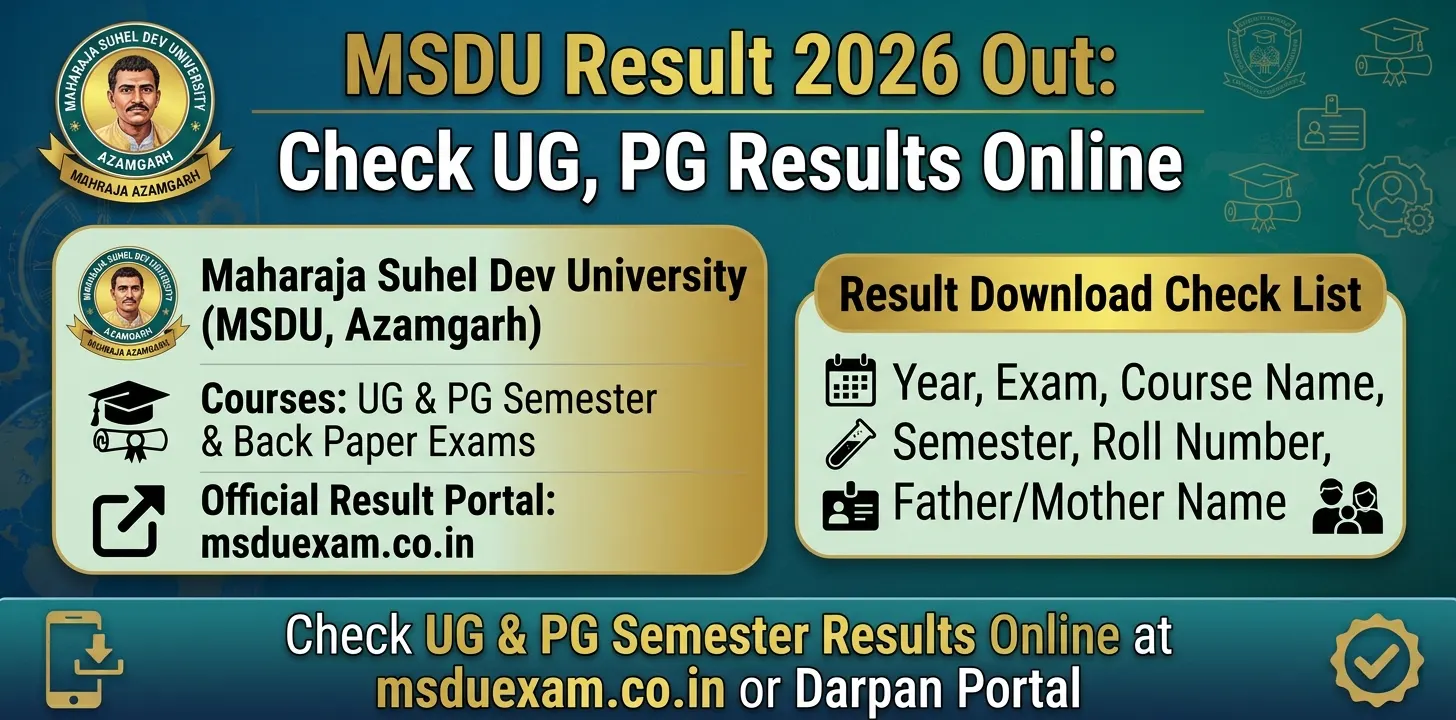
To check your MSDU Result 2026, keep your admit card and registration details ready. The result search form asks you to select the examination year, exam, course and semester. You also have to enter your roll number and your father’s or mother’s name.
This article explains how you can check your MSDU UG and PG Result 2026, which details you need and what to do if your result does not appear. It also explains how to deal with common problems while using the result portal.
MSDU Result 2026 – Quick Overview
The following table gives you the main details about the Maharaja Suhel Dev University Result 2026.
| Details | Information |
|---|---|
| University Name | Maharaja Suhel Dev University (MSDU) |
| Also Known As | Azamgarh University |
| Location | Azamgarh, Uttar Pradesh |
| Result Name | MSDU Result 2026 |
| Courses | UG and PG |
| Examinations | Semester and back paper examinations |
| Result Mode | Online |
| Result Portal | msduexam.co.in |
| Official Website | msdu.ac.in |
The university’s official website has a Results section that takes students to the online result portal. You can use this portal to search for your examination result.
Details Required to Check MSDU Result 2026
Before opening the MSDU Result 2026 portal, keep your admit card and registration details with you. The result search form asks for six details. You must enter the correct information to find your result.
Here are the details you need:
- Year: Select the year in which you appeared for the examination. You can choose it from the dropdown menu.
- Exam: Select the examination you appeared for.
- Course Name: Choose your UG or PG course from the available options.
- Semester: Select the semester for which you want to check the result.
- Roll Number: Enter your roll number exactly as printed on your admit card.
- Father / Mother Name: Enter your father’s or mother’s name as registered with the university.
Make sure that all the details are correct before you click the search button. A typing mistake or incorrect selection may stop the portal from showing your result.
How to Check MSDU Result 2026 Online?
You can check your Maharaja Suhel Dev University Result 2026 through the online result portal. You do not have to visit your college just to search for your result.
Follow these steps:
- Visit the official result portal at msduexam.co.in.
- The result search page will open on your screen.
- Select the correct Year from the dropdown menu.
- Choose the Exam you appeared for.
- Select your Course Name.
- Choose the correct Semester.
- Enter your Roll Number in the given field.
- Enter your Father’s or Mother’s Name.
- Check all the details once again.
- Click on the Search Result button.
- Your MSDU Result 2026 will appear on the screen if it is available for the details you entered.
- Save or print your result for future use.
The portal also displays a message if the roll number or parent name is empty or invalid. So, check these fields carefully before searching again.
What Should You Do If Your MSDU Result 2026 Does Not Appear?
Sometimes, students cannot find their results even after entering their details. This may happen because of an incorrect entry, a wrong examination selection or a technical problem.
Here are some common problems and the steps you can follow to fix them.
1. Your Result Is Not Showing
If your MSDU Result 2026 does not appear, first check the information you entered.
- Make sure that you selected the correct examination year.
- Check whether you selected the correct exam.
- Confirm that your course name and semester match your examination.
- Enter your roll number exactly as printed on your admit card.
- Check the spelling of your father’s or mother’s name.
- Make sure that no field has been left empty.
If all your details are correct but the result is still not showing, the result may not be available on the portal yet. You can contact your college or the university examination section for help.
2. The Result Page Is Slow or Not Loading
You may sometimes face problems while opening the MSDU result website. This can happen because of heavy traffic or a temporary technical issue.
Try these steps:
- Refresh the result page and try again.
- Wait for some time before opening the website again.
- Open the portal using another browser.
- Try checking your result from a different mobile phone or computer.
- Check your internet connection before searching again.
3. Your Details Are Incorrect in the Result
After checking your MSDU Result 2026, compare the information on the result with your admit card and registration details.
If you find a mistake in your name, roll number, course or other details, contact your college or the university examination section. The result search page does not explain the correction process. Therefore, ask the university about the correct procedure before submitting any application.
What Should You Check After Downloading the MSDU Result 2026?
After your result appears on the screen, do not close the page immediately. First, check the details carefully.
Follow these steps:
- Save a copy of your result on your mobile phone or computer.
- Take a screenshot or print a copy for your records.
- Check whether your name is correct.
- Match your roll number with your admit card.
- Check your course and semester details.
- Go through the subject details and marks shown in your result.
- Contact your college or the university examination section if you find any mistake.
Keep the saved result with you until you receive your official marksheet from your college or university.
What If You Have a Back Paper in MSDU Result 2026?
If your MSDU Result 2026 shows that you have a back paper, contact your college for information about the next examination.
Ask your college about the back paper examination schedule, form-filling dates and other instructions. Do not depend only on your result page for this information.
The university also has a separate Darpan Portal. It provides services for semester and annual results, back paper and improvement results, and applications for incomplete or incorrect results. It also lists a challenge evaluation or scrutiny service. You can visit the MSDU Darpan Portal for these services.
MSDU Result 2026: Result Date, Passing Marks and Revaluation
Students may also want to know the exact result date, passing marks and revaluation rules. However, the result search page mainly provides fields to search for an examination result. It does not give these details on the search form.
If you want to know the passing marks for your course, contact your college or check the examination rules published by the university.
If you are not satisfied with your marks, ask your college or the university examination section about the available scrutiny or challenge evaluation process. The Darpan Portal lists a challenge evaluation (scrutiny) service, but you should check its current instructions, eligibility and application dates before applying.
MSDU Result 2026 – Important Links
You can use the following official university links to check your result and get further information.
| Purpose | Official Link |
|---|---|
| Check MSDU Result 2026 | Open Result Portal |
| MSDU Official Website | Visit University Website |
| Semester and Annual Results, Back Paper and Other Services | Open Darpan Portal |
| University Results Information | Open Results Section |
The university’s official website lists the result portal under its Examination section. You can also use the Darpan Portal for the separate result and examination services mentioned above.
Also Check Out:- Osmania University UG Results 2026 Out: Check CBCS Result
FAQs
1. How can I check MSDU Result 2026 online?
- You can check your MSDU Result 2026 by visiting msduexam.co.in. Select your examination year, exam, course name and semester. Then enter your roll number and your father’s or mother’s name. Finally, click on the Search Result button to view your result.
2. Which details are required to check the Maharaja Suhel Dev University Result 2026?
- You need six details to search for your result. These are the examination year, exam name, course name, semester, roll number and your father’s or mother’s name. Keep your admit card ready so that you can enter the correct information.
3. What should I do if my MSDU Result 2026 is not showing?
- First, check your roll number and parent’s name. Also make sure that you selected the correct year, exam, course and semester. If the result still does not appear, refresh the page or try again later. You can also contact your college or the university examination section for help.
4. What should I do if I am not satisfied with my MSDU Result 2026?
- If you are not satisfied with your marks, contact your college or the university examination section to ask about the available options. The university’s Darpan Portal lists a challenge evaluation or scrutiny service. Check the portal for the current application process and instructions before applying.
