
You do not need a big team or expensive software to create good content. You can manage the whole process by yourself with the help of free AI tools. You only need a simple plan, the right tools and a little practice.
Table of ContentsQuickly navigate to the information you need
If you want to learn How to Build a One-Person Content Workflow with AI, this guide will help you. You will learn how to find topics, research information, write articles, create images, publish posts and check results without depending on other people.
A one-person content workflow saves time and keeps your work organised. You can use AI to complete many daily content tasks while keeping control of the final work.
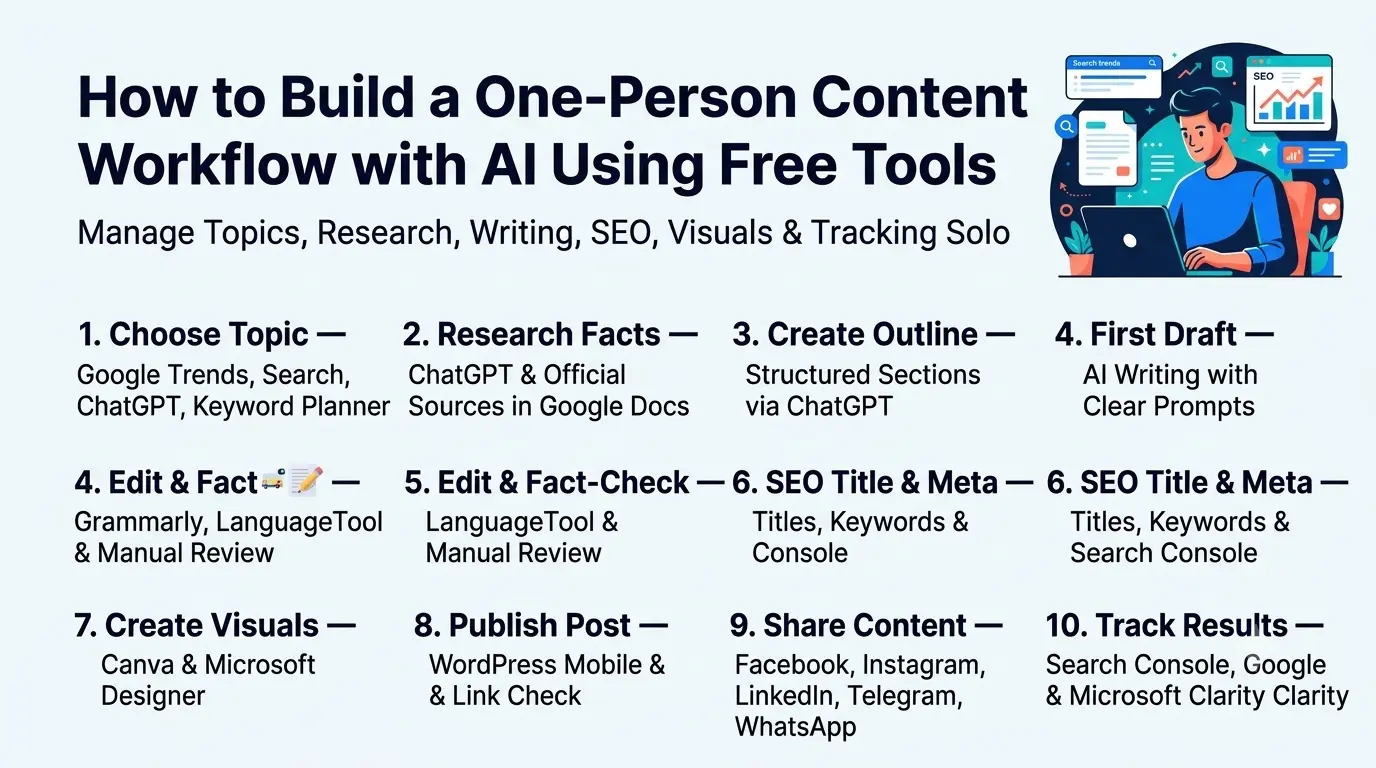
1. Choose Your Content Topic
The first step in learning How to Build a One-Person Content Workflow with AI is choosing the right topic.
Decide what type of content you want to create. You can write blog posts, social media updates, product guides, educational articles or website content.
Choose a topic that people want to read about. Try to focus on one main subject instead of writing about everything.
You can use these free tools to find ideas:
- Google Trends: Find topics that people are searching for.
- Google Search: Check common questions and related topics.
- ChatGPT: Generate content ideas and topic suggestions.
- Google Keyword Planner: Find keyword ideas and search demand.
For example, if you run an education website, you can choose topics about exam dates, admit cards, results, recruitment and admission updates.
2. Research the Topic Properly
Good research is an important part of How to Build a One-Person Content Workflow with AI. Before writing, collect correct and useful information.
You can use ChatGPT or other AI tools to understand a topic and organise your research. However, AI can sometimes provide incorrect or old information.
Always check important facts using trusted sources. For education and government-related content, use official websites, notifications and PDFs.
During research, collect:
- Important dates and deadlines.
- Eligibility details.
- Fees and required documents.
- Application or download steps.
- Official website links.
- Important rules and instructions.
Keep all the information in one Google Docs file. This will make writing easier. How to Build a One-Person Content Workflow with AI Using Free Tools.
3. Create an Article Outline
Before writing, prepare a simple outline. It helps you organise the article and avoid missing important details.
You can ask ChatGPT to create an outline based on your topic and research.
For example, an article about an examination result may include:
- Introduction.
- Important result details.
- Result release date.
- Official result link.
- Steps to check the result.
- Details mentioned on the result.
- Next steps for candidates.
- Important links.
- Frequently asked questions.
Check the outline before writing. Add any missing information that readers may need. How to Build a One-Person Content Workflow with AI Using Free Tools.
4. Write the First Draft Using AI
Now you can prepare the first draft. ChatGPT can help you write articles from your research notes.
If you want to know How to Build a One-Person Content Workflow with AI, learning to give clear instructions to AI is very useful.
Tell the tool about your topic, writing style, article length and important details.
For example, you can use this prompt:
Write an article on [Your Topic] using the information given below.
Use very simple, natural English and short sentences. Make it easy for an ordinary reader to understand. Use clear headings and paragraphs. Do not skip any important fact, date, fee, deadline, link or instruction. Do not add information that is not provided or verified.
Research notes:
[Paste your information here]
Do not publish the AI draft immediately. Read it carefully and correct any mistakes.
Remember, AI should help you write faster. You are still responsible for the final content. How to Build a One-Person Content Workflow with AI Using Free Tools.
5. Improve the Article and Check the Facts
Editing is one of the most important parts of a content workflow.
Read the article from the beginning. Check whether every sentence is clear. Remove repeated information and correct spelling or grammar mistakes.
You can use these free tools:
- Grammarly: Check grammar and spelling.
- LanguageTool: Find writing and grammar mistakes.
- ChatGPT: Rewrite difficult sentences in simple language.
- Google Docs: Edit and organise your article.
Also check all dates, numbers, names and official links. Never trust an AI-generated fact without verification.
Your article should be helpful, correct and easy to read. How to Build a One-Person Content Workflow with AI Using Free Tools.
6. Prepare SEO Titles and Meta Descriptions
SEO helps search engines understand your content. It can also help people find your article through Google Search.
When learning How to Build a One-Person Content Workflow with AI, you should also understand basic SEO.
Before publishing, prepare a suitable SEO title, meta description and keywords. You can use ChatGPT to create these. How to Build a One-Person Content Workflow with AI Using Free Tools.
For example, ask it to:
- Write five SEO headlines under 60 characters.
- Create a meta description under 160 characters.
- Suggest relevant keywords.
- Prepare four useful FAQs.
- Suggest suitable tags.
Use your main keyword naturally in the title, first paragraph, headings and article. Do not repeat it unnecessarily.
Google Search Console is also useful. It helps you check how your website performs in Google Search.
7. Create Images for Your Content
A good image can make your article more attractive. You can create featured images, banners and social media graphics without hiring a designer. How to Build a One-Person Content Workflow with AI Using Free Tools.
Some useful tools include:
- Canva: Create banners, thumbnails and social media graphics.
- Microsoft Designer: Create designs with AI features.
- ChatGPT: Help prepare image ideas and text for designs.
Check the free usage limits of each tool before using it.
Use clear images that match your article. Avoid adding too much text to the image. Also, do not use copyrighted images without permission. How to Build a One-Person Content Workflow with AI Using Free Tools.
8. Publish Your Content
Once your article is ready, upload it to your website or blog.
If you use WordPress, you can manage your posts through its dashboard.
Before publishing, check these things:
- The article title is correct.
- All headings are in the right order.
- Paragraphs are easy to read.
- Images are uploaded properly.
- Official links are working.
- Meta description is added.
- Categories and tags are selected.
- The article looks good on mobile devices.
You can publish the article immediately or schedule it for a later date. How to Build a One-Person Content Workflow with AI Using Free Tools.
9. Share Your Content
Publishing an article is not the end of the work. You should also share it with people who may find it useful.
You can share your content through:
- Facebook pages and groups.
- Instagram.
- LinkedIn.
- Telegram channels.
- WhatsApp communities.
- Other relevant social platforms.
You can use Canva to create a social media image and ChatGPT to write a short caption.
Do not share the same post everywhere without checking whether it suits that platform. How to Build a One-Person Content Workflow with AI Using Free Tools.
10. Track Your Content Performance
After publishing, check how your content is performing. This is another important step in How to Build a One-Person Content Workflow with AI.
You can use these free tools:
- Google Search Console: Check search clicks, impressions, keywords and indexing issues.
- Google Analytics: Understand website visitors and their activity.
- Microsoft Clarity: Study how visitors use your website through available heatmaps and session recordings.
These tools help you understand which articles are getting visitors and which pages need improvement.
Update old articles when dates, links or other important information change.
Best Free AI Tools for a One-Person Content Workflow
You do not need every available tool to manage your content. Start with a few useful tools and add more when your work grows. How to Build a One-Person Content Workflow with AI Using Free Tools.
| Tool | Main Use |
|---|---|
| ChatGPT | Research support, ideas and article drafts |
| Google Trends | Find popular topics |
| Google Search | Check information and sources |
| Google Docs | Write and save articles |
| Grammarly | Check grammar and spelling |
| LanguageTool | Find writing mistakes |
| Canva | Create images and banners |
| Google Keyword Planner | Find keyword ideas |
| Google Search Console | Track Google Search performance |
| Google Analytics | Check website traffic |
| Microsoft Clarity | Understand visitor behaviour |
Some tools offer free plans or limited free features. Check their current limits before using them.
A Simple Daily Content Workflow
If you are working alone, follow a fixed routine. How to Build a One-Person Content Workflow with AI Using Free Tools.
| Step | Work |
|---|---|
| Step 1 | Find one useful topic |
| Step 2 | Research and collect correct facts |
| Step 3 | Prepare an article outline |
| Step 4 | Write the first draft with AI |
| Step 5 | Edit and check all information |
| Step 6 | Prepare SEO title and meta description |
| Step 7 | Create a featured image |
| Step 8 | Upload and publish the article |
| Step 9 | Share it on social media |
| Step 10 | Check its performance |
You can adjust this routine according to your available time and the number of articles you want to publish. How to Build a One-Person Content Workflow with AI.
Important Tips for Managing Everything Alone
Working alone can be difficult if you do not have a proper plan. Follow these simple tips:
- Set a daily content target.
- Keep all research notes in one place.
- Save useful AI prompts for future work.
- Use a content calendar to plan topics.
- Check facts before publishing.
- Do not publish AI content without editing.
- Avoid copying content from other websites.
- Keep backups of your articles and images.
- Update old content when information changes.
- Focus on useful content instead of publishing too many articles.
Final Words
Learning How to Build a One-Person Content Workflow with AI does not have to be difficult. With free AI tools, you can find topics, research information, write articles, create images, publish posts and track results by yourself.
Start with a few simple tools and follow the same process for every article. Check your facts, edit your writing and focus on helping your readers.
You do not need an expensive setup to begin. A computer, an internet connection, a clear plan and regular effort are enough to build your own content workflow.
Also Check Out:- MCD Safai Karmachari Recruitment 2026; 2500 Sanitation Workers in Delhi Municipal Corporation, Advertisement Soon
FAQs
1. How to Build a One-Person Content Workflow with AI?
You can build a one-person content workflow by following simple steps. First, choose a topic and research it. Then, use AI to prepare an outline and write the first draft. Edit the article, check all facts, prepare SEO details, create images and publish it. Finally, share your content and track its performance. Official Website of Google Keyword Planner.
2. Which free AI tools can you use for content creation?
You can use ChatGPT for content ideas, research support and article drafts. Google Trends helps you find popular topics, while Google Docs helps you write and save articles. You can use Grammarly and LanguageTool for grammar checks and Canva for creating images. Google Search Console, Google Analytics and Microsoft Clarity help you check website performance.
3. Can you manage a complete content workflow without a team?
Yes. You can manage the complete content process alone with the help of AI tools. You can find topics, collect information, write articles, edit content, prepare SEO titles, create images and publish posts. A daily work plan and a content calendar can help you manage everything properly.
4. How can you improve the SEO and performance of your AI-written content?
Use your main keyword naturally in the title, first paragraph, headings and article. Write a useful meta description, add relevant FAQs and create suitable images. Always check facts and official links before publishing. After publishing, use Google Search Console and Google Analytics to track visitors, search clicks and impressions. Update old articles when information changes.
